
I’ve shared the lows, but love sharing the highs as well. I am happy to report that if you last saw me at PressConf (get your tickets for 2026, btw) or WCEU, I am now 10kg/22lbs lighter. Feels good and I’m ⅔ of where I want to be. Easy does it.
Just realized another win: I’ve also managed to quit caffeine. I wasn’t drinking coffee, but I was taking chewing gum with caffeine. And, like, a lot. It’s been three weeks without, and I’m back to not being dependent on caffeine to start my days like a fvcking rockstar.
Anyway, enough about me feeling better, let’s talk WordPress, m’kay? I got lots of good bits and finds for you again this week! Even though it was a short one.
Hope you enjoy it!
🗞️ Within WordPress News
Here’s what I saw happening this past week:
- WordPress 6.9 edges toward beta with clever experiments that sharpen site editing for everyday users, like simplified content-only patterns that let you detach for tweaks without toggling modes, as Anne McCarthy unpacks in her fresh dive. Block hiding nears rollout, the Command Palette gains navigation smarts, and template revisions plus UTF-8 tweaks promise smoother workflows, all begging you all to test things to iron out the kinks.
- Speaking of WordPress 6.9, it’s also getting ready for PHP 8.5, and it’s good for you to start looking at possible changes you might need to make to your code. That linked Pull Request is a great start.
- Block Builder extraordinaire Ian Svoboda released his course on Local Development Basics. I highly recommend you check his course out, because Ian’s the real deal.
I’ve recorded two podcasts with Ian, btw. One about custom block development, and one about what he learned building Generate Blocks 2.0.
- Have you looked into Omnisend yet? Your WordPress and WooCommerce clients will love Omnisend, as did mine. Every single one I’ve onboarded are seeing great results. Omnisend is trusted by 125,000+ brands who love using it for email & SMS marketing. Sign up now.
- Stumbled upon the Deploy Sync Content plugin. It tackles the hassle of syncing WordPress sites by letting you cherry-pick posts, media, and configs for one-way transfers from production to staging, as detailed in its plugin directory entry. Looks pretty smart with dodging duplicates, conflict checks, and CLI hooks for automation.
It is an experimental plugin, so do take your precautions. As always.
- Per Sønderland is at it again. His VS Code extension delivers live previews of WordPress readme.txt files right in your editor, letting plugin and theme creators spot formatting glitches and render tweaks without bouncing to a browser. It even has support for Markdown extensions, image handling, and quick validation against official specs.
Pretty nifty extension if you’re using VS Code, but I’m sure if you’re using another editor, some vibe coding will get you there for yours as well.
- Back in January, Austin Ginder shared an experiment with WordPress called Minnow Transmuter. It’s a way to port WordPress code into a proper PHP namespace. This week, he’s released part two of his experiments, where he needed some way to visualize the codebase.
Kinda geeky, but very interesting approach to see how we can modernize the WordPress code base.
- Ryan Logan and Derek Ashauer released a fun project called ChangelogWP. It tracks WordPress plugin and theme updates with precision, pulling changelogs from readme.txt files or GitHub to deliver clean, structured logs for developers to monitor fixes, features, or breaking changes without digging through source files.
Very interesting project!
- To me, ACF Pro‘s API to create Blocks is what should have been inside of WordPress Core. It’s still my favorite method to create complex blocks. It’s good to see ACF is improving that experience even further with ACF 6.6. I like it.
🤖 WordPress & AI
- Tole from Convoworks shared how you can use DeepWiki to help you debug issues with larger code bases like plugins. DeepWiki indexes and analyzes any public GitHub repo so you can chat with it. Take a look at this example of the Fluent CRM framework.
🚀 Performance & Security
- Preloading fonts can turbocharge page speed, but overdoing it might choke your site’s performance, as Erwin Hofman breaks down in his snappy guide. Audit fonts, lean on system defaults, or use font-display: swap for a slick user experience without the bloat.
- The first 14KB of a webpage’s data is crucial for fast loading, as Barry Pollard explains in his insightful post. Prioritizing critical resources like CSS and fonts in this initial TCP packet window can slash render times, but overloading it with non-essentials slows everything down.
As always, optimize smartly to keep browsers snappy and users happy.
- Project Wallace’s open-source tool crunches your CSS into a sharp quality score across maintainability, complexity, and performance, flagging sneaky issues like empty rules or selector bloat that trip up devs. As detailed in their GitHub repo, it delivers quick violation tallies and actionable fixes to keep code lean and lightning-fast.
No excuses for bloated CSS anymore!
- I’m going to walk you through exactly how I approach diagnosing performance issues on a WordPress site. It’s fast, it’s methodical, and it tells me 90% of what I need to know in under 15 minutes.
🔆 Within WordPress Highlight
Mike McAlister announces Ollie Pro Extensions, enhancing WordPress’s native block editor with tools like animations and responsive grids to streamline site design without custom code.
- Features include preset animations for dynamic effects, custom breakpoints for device-specific layouts, and keyboard shortcuts, all integrated seamlessly to boost efficiency.
- Endorsed by Gutenberg’s lead architect, this release positions Ollie as a competitive alternative in the block theme market.
Check it out. Get it. Use it.
💡 Interesting Finds
- Same Energy reimagines image search as a purely visual tool that captures artistic styles and moods through deep learning akin to CLIP, letting users drop photos to uncover fresh inspiration in art and design without relying on tags or text, as Jacob Jackson details in his about page.
- Brussels confronts the GDPR’s cookie consent chaos that has flooded the web with intrusive pop-ups, eroding user trust and slowing page loads, by proposing a radical overhaul in a draft law from late September. The plan shifts to “consent or pay” models allowing sites to charge non-consenters, lets users manage preferences via browser settings, and bans tracking for non-essential ads
This is great news! This will surely open up the option to have our cookie settings in the browser.
🛒 WooCommerce News
- WooCommerce 10.3 rolls out an experimental toggle to zap empty customer sessions and their cookies during page loads, slashing unnecessary data that blocks caching for guest browsers and speeding up repeat visits. As the Woo team outlines in this developer advisory, core tweaks like ditching default customer info from sessions pave the way for broader performance gains.
As always, you’ll want to test this extensively, but it’s so, so great to see the general deep focus on performance at Woo. I love it.
🎁 Bonus
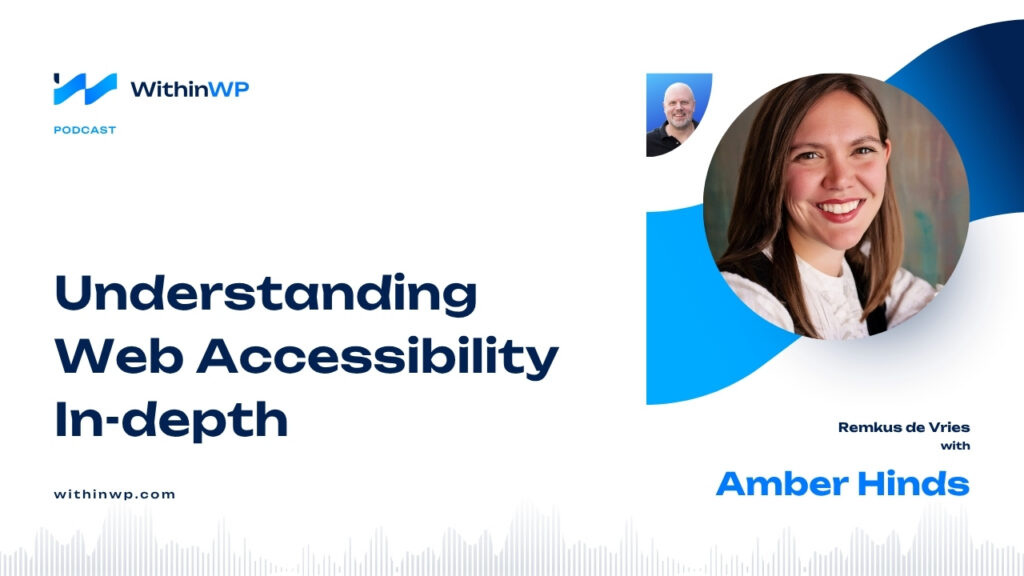
🎙️ The latest Within WordPress podcast released is one with Amber Hinds. Amber is a accessibility specialist, and if you’ve ever thought “I ought to look into that, but I don’t know where to begin, or even what it is”, you should listen to this episode. Not only does Amber a wonderful job explaining what it is, she also gives lots of examples why you should care about accessibility now.
That’s it for this week’s edition of Within WordPress. Thanks for reading!
Best, Remkus



Leave a Reply